
Run your Java (Spring Boot), Node.js, and Python microservices directly on spare Android hardware. Avoid cloud inactivity spin-downs, skip router port-forwarding with Cloudflare Tunnels, and keep your code and secrets on your device.
Deploying modern frontend applications (React, Next.js, Flutter) has become completely free and instantaneous on services like Vercel and Cloudflare Pages. But backend hosting remains broken: free cloud tiers shut down instances after 15 minutes of inactivity, inflicting brutal 30 to 50-second cold starts on students and indie developers showcasing their work.
Keeping a desktop PC or server running 24/7 consumes 60W–150W of power, requires continuous fan noise, and fails during local power cuts without a heavy UPS.
Then the realization struck: our spare Android phones are already quiet, power-efficient, battery-backed supercomputers. An older phone with an 8-core ARM64 CPU and 6 GB RAM has more raw compute capacity than many standard cloud VPS tiers—drawing less than 2 Watts of electricity.
HostTriangle turns this hardware into an edge compute node. By running an isolated Debian sandbox on Android and exposing your port via an outbound Cloudflare Zero Trust Tunnel, your spare phone serves as a practical, always-on hosting node for your APIs.
Keep your database on free managed tiers (Supabase, Neon, MongoDB Atlas), while stateless compute logic runs directly across your devices.
If one node temporarily loses power or reboots, Cloudflare Load Balancing automatically routes traffic to another phone in your cluster.
No hacks, no fragile rooting, and no kernel modifications. Built on standard POSIX virtualization.
Uses ptrace system call interception to provide a rootless chroot environment. The application runs with standard Android UID permissions while believing it has root inside Debian.
Compiled with clean-room C code and linked with -Wl,-z,max-page-size=16384. Guarantees 100% compatibility with Android 15 and future Linux kernel architectures.
The embedded cloudflared daemon establishes encrypted outbound TLS tunnels. Seamlessly punches through carrier CGNAT, home Wi-Fi routers, and mobile firewalls.
An honest, realistic look at how hosting on spare phone hardware compares against free cloud tiers and dedicated single-board computers.
| Aspect / Feature | HostTriangle (Phone) | Free Cloud Tiers (Render, etc.) | Dedicated Raspberry Pi |
|---|---|---|---|
| Hardware Needed | Spare phone you already have | None (remote cloud platform) | Purchase board, microSD, PSU, case ($60–$100+) |
| Running Cost | Low electricity + existing Wi-Fi or data | $0 within free tier limits (e.g. Render free plan, Railway credits) | Low electricity |
| Inactivity Spin-down | No spin-down (as long as phone is active and service is alive) | Often spins down after 15m inactivity (e.g. Render free tier takes ~50s to spin up) | No spin-down |
| Uptime & Reliability | Depends on phone battery, thermal limits, and Android Doze/battery settings | Governed by platform uptime SLAs and monthly free compute caps | Depends on home power and external UPS setup |
| Code & Secrets Privacy | Source code, JAR binaries, and .env secrets stay physically on your device | Code and environment variables stored on third-party cloud infrastructure | Code and secrets stay physically on your device |
| Public URL & Ingress | Cloudflare Tunnel (traffic proxies through Cloudflare edge network) | Platform-provided HTTPS endpoint or subdomain | Cloudflare Tunnel or router port-forwarding / Dynamic DNS |
| Best Suited For | College, test, and portfolio projects without a credit card | Quick cloud deployments and serverless testing | Dedicated always-on home server / self-hosted home lab |
Important Architecture Note: Not intended for production or mission-critical use. Reliability depends on your phone's battery health, thermal limits, and Android background battery optimization settings.
HostTriangle bundles a Debian environment with on-demand runtimes.
Eclipse Temurin headless runtimes. HostTriangle reads your JAR's bytecode version and tells you if it needs a newer runtime.
Auto-detected and launched from your workspace. Not yet tested across common frameworks.
Your source code and .env files are stored in the app's private storage on your phone. They are not uploaded to a HostTriangle server, because HostTriangle has no server.
Public requests travel through Cloudflare's network, and Cloudflare can see that traffic (TLS terminates at Cloudflare edge before reaching your tunnel). If you connect a cloud database (such as Supabase or Neon), your data lives there.
HostTriangle itself includes no analytics or crash reporting. The bundled cloudflared daemon connects to Cloudflare to run your tunnel.
Designed with Material 3 & Jetpack Compose. Click any image to view high-resolution zoom.
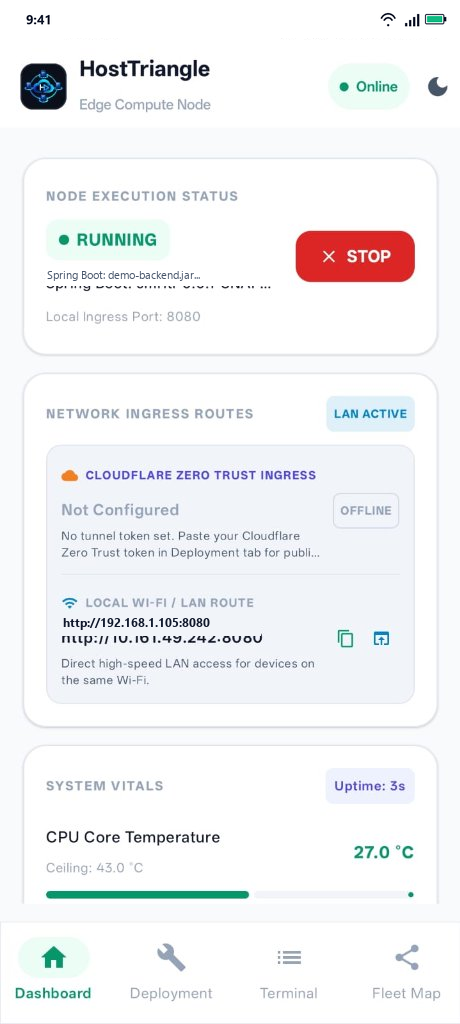
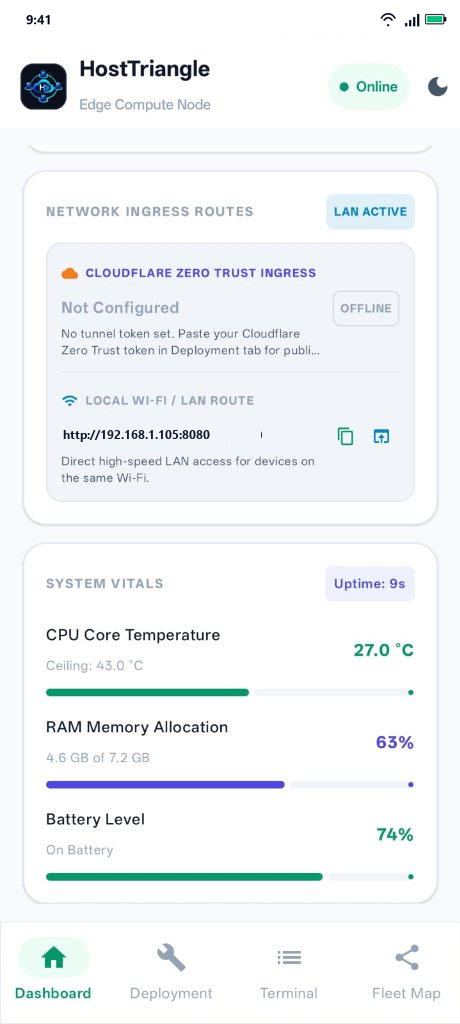
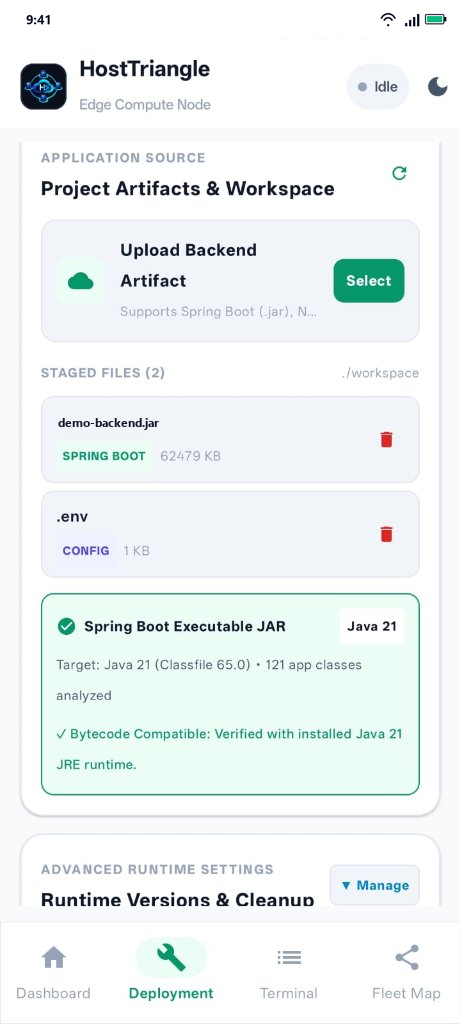
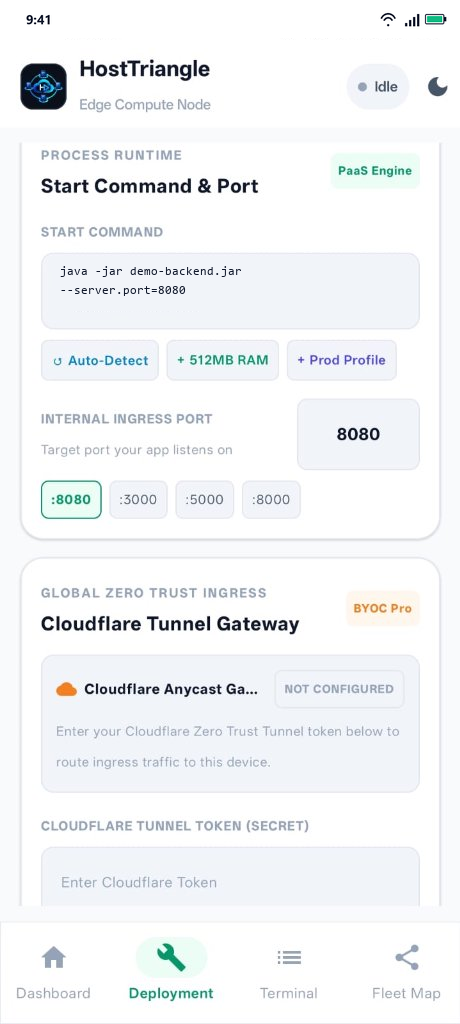
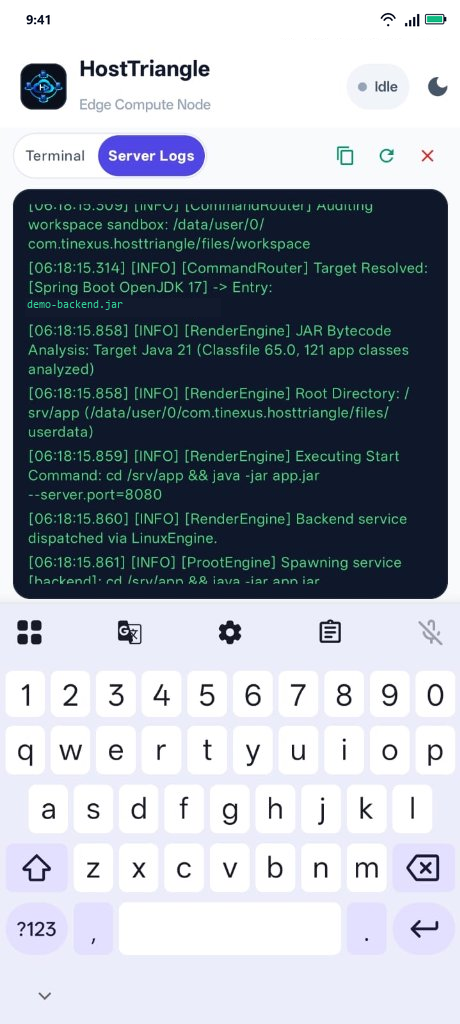
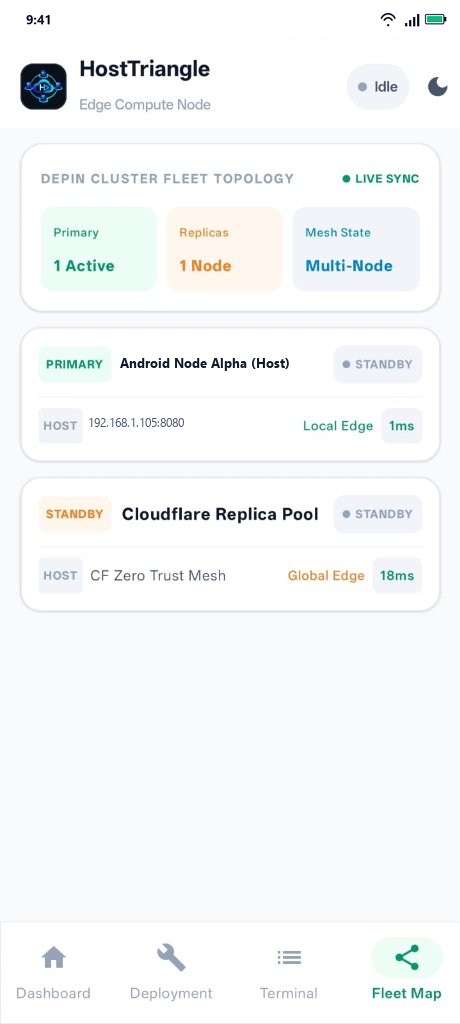
Deploy your backend directly on Android hardware with secure Cloudflare Zero Trust ingress.
Open Deployment, choose your Spring Boot .jar from phone storage. (Node.js and Python: experimental.)
In Cloudflare Zero Trust, add a public hostname pointing to your local port, then paste the tunnel token into HostTriangle.
Tap Start Engine and use your public HTTPS URL in your frontend client or mobile app.